If you’ve decided to protect your device with EWPS, you’ve made a smart choice! EWPS Mobile Plan provides peace of mind by safeguarding your device from accidents, theft, and more. But how do you get started? This guide will walk you through the process of activating your EWPS plan in a few simple steps.
Let’s dive in and get your protection started!
Step 1: Register on the EWPS Website
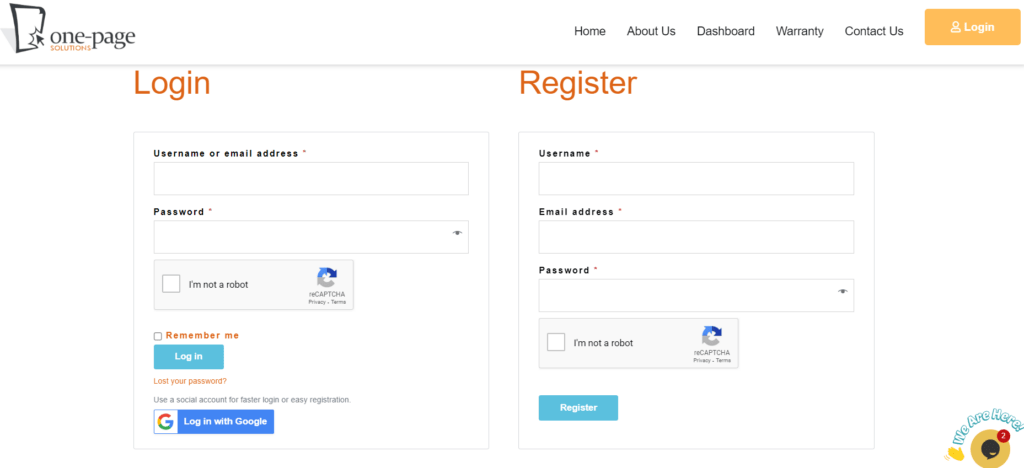
The first step to activating your EWPS plan is to register on our official website.
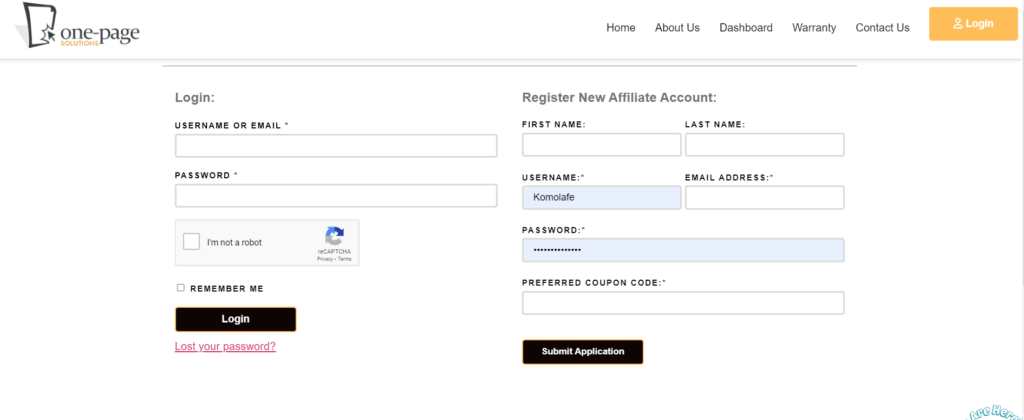
1. Visit https://onepages.com.ng/ and click on the “Log In” button.
2. Fill in your details, ensuring that you enter all information in lowercase letters as advised.
3. Submit the registration form to complete your sign-up process.
After registering, you’ll be directed to your dashboard, where you can start adding devices.
Step 2: Add Your Device
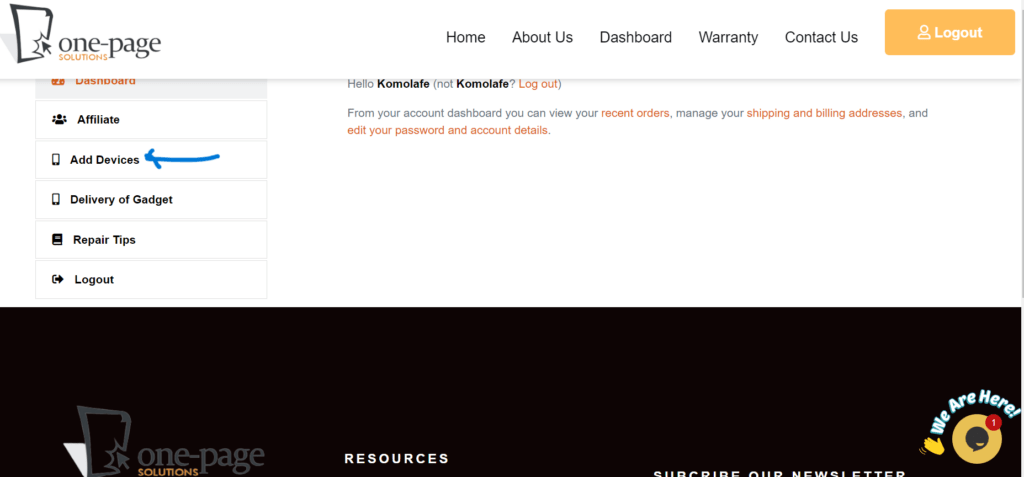
Once you’re signed up, it’s time to add the devices you want to protect.
1. Navigate to the “Add Device” section on your dashboard.
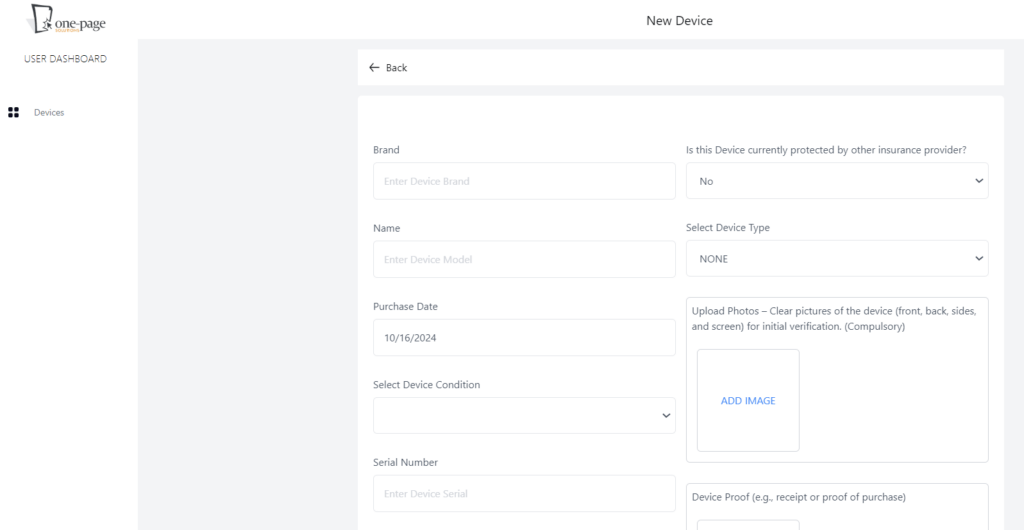
2. Enter all necessary information, including your device’s name, model, and any other required details.
3. Complete the process by uploading proof of purchase, if available. This is optional, but it helps us validate device ownership, especially in case of theft.
Multiple devices can be added one-by-one, allowing you to secure all your gadgets with EWPS!
Step 3: Choose & Pay for Your EWPS Plan
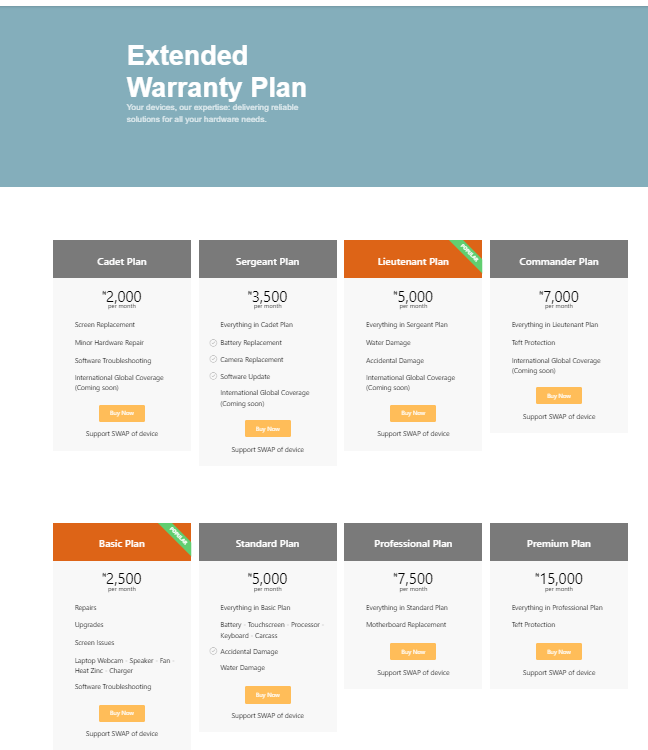
With your device details in place, the next step is to select a plan that best suits your needs.
1. Browse through the available plans, ranging from basic coverage to comprehensive protection for PC and Cadet to Commandant Plan for Mobile.
2. Choose the plan that matches your device type and usage.
3. Proceed to checkout and complete the payment.
Once payment is processed, your EWPS plan will be active, and your device protection starts immediately!
Step 4: Access Your Dashboard for Updates and Claims
After activation, you can easily manage your protection plan from your dashboard. From tracking your coverage to submitting request for repair in the event of an accident or repair needs, your EWPS dashboard is your control center for all things protection-related.
Be sure to log in frequently to stay updated on any announcements or additional features.
Step 5: Spread the Word & Earn
One of the best parts about EWPS is that we reward referrals! Share your unique affiliate link with friends, family, or on social media. Every successful sign-up through your link earns you commission, so don’t hesitate to spread the word and benefit from your network.
EWPS PLAN
Activating your EWPS Mobile Plan is simple and quick, but the peace of mind it provides is invaluable. Follow these steps to secure your device today, and join the growing community of Nigerians who trust EWPS for their device protection needs.
Ready to activate? Start by signing up at https://onepages.com.ng and take the first step toward a worry-free digital life.
About EWPS
EWPS is committed to safeguarding devices across Nigeria, empowering users with reliable protection and a strong network of support. Whether it’s accidental damage, theft, or any other emergency, EWPS has you covered.