In today’s digital world, protecting your mobile devices has never been more essential. With EWPS (Electronic Warranty Protection Services), you get robust protection for your phones and laptops against accidental damage, repairs, and device breakdowns. Once you’ve signed up for an EWPS plan, activating it is the next step to ensure your device is covered. Here’s a comprehensive guide on how to activate your EWPS Plan seamlessly!
Step 1: Register on the EWPS Website
If you haven’t already, start by registering on the EWPS website. Fill in the required details like your email address, name, and contact information. Ensure that you use your affiliate code if referred by an agent to receive any applicable benefits or discounts.
Tip: Remember to use lowercase letters when filling in all registration details for seamless integration.

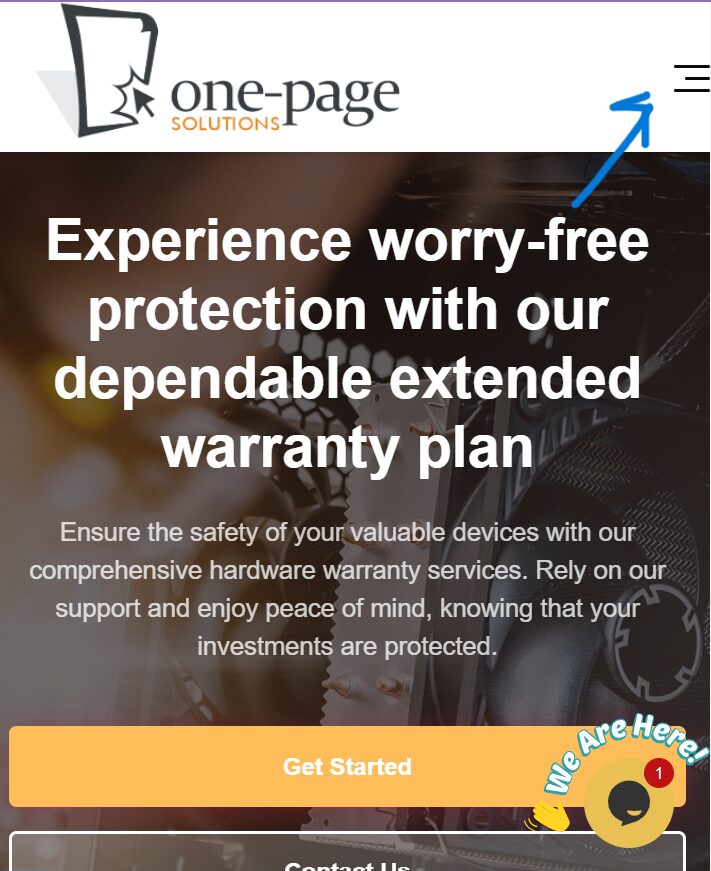
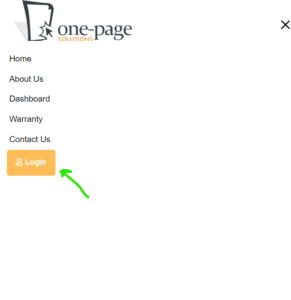
Step 2: Log in to Your EWPS Account
After registering, log in to your EWPS account using your email and password. This will give you access to your dashboard, where you can view and manage all aspects of your EWPS protection plan.
Step 3: Add Your Device
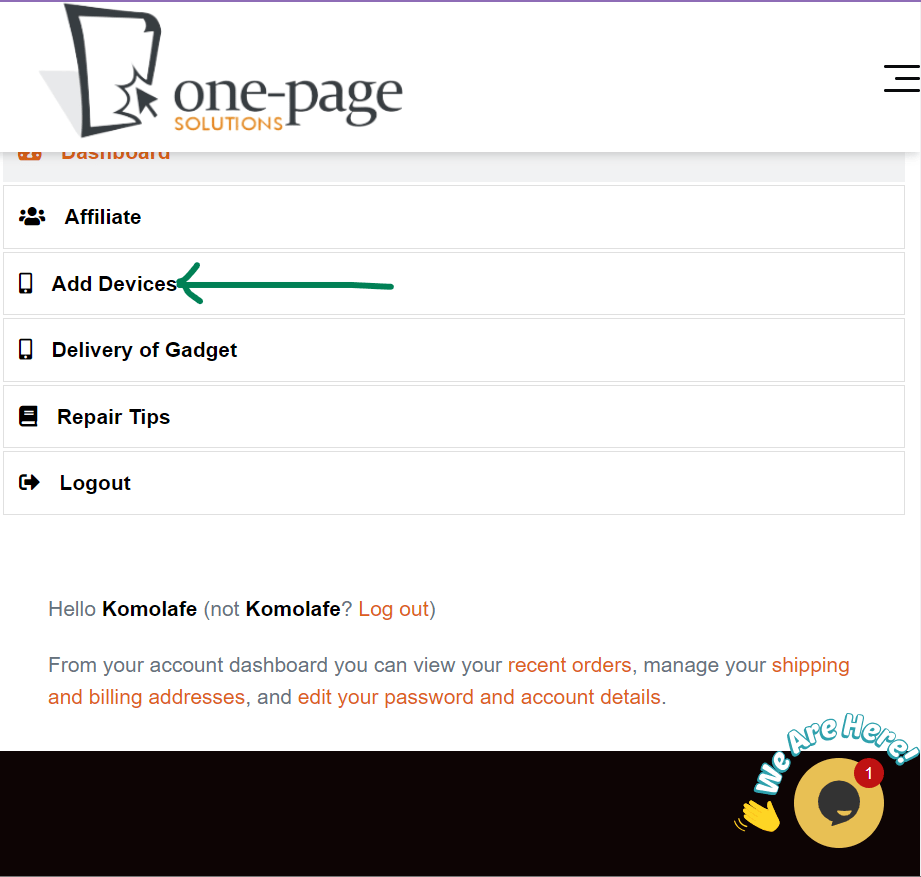
Once you’re logged in, head over to the “Add Device” section. Here, you’ll be required to input essential details about your device, such as:
- Device Model
- IMEI Number or Serial Number
- Date of Purchase
- Proof of Purchase (Optional but encouraged for added security)
Note: For added convenience, EWPS allows you to add multiple devices, each protected under the same plan or different plans as per your needs. Add them one by one for efficient tracking.
Step 4: Choose Your EWPS Plan
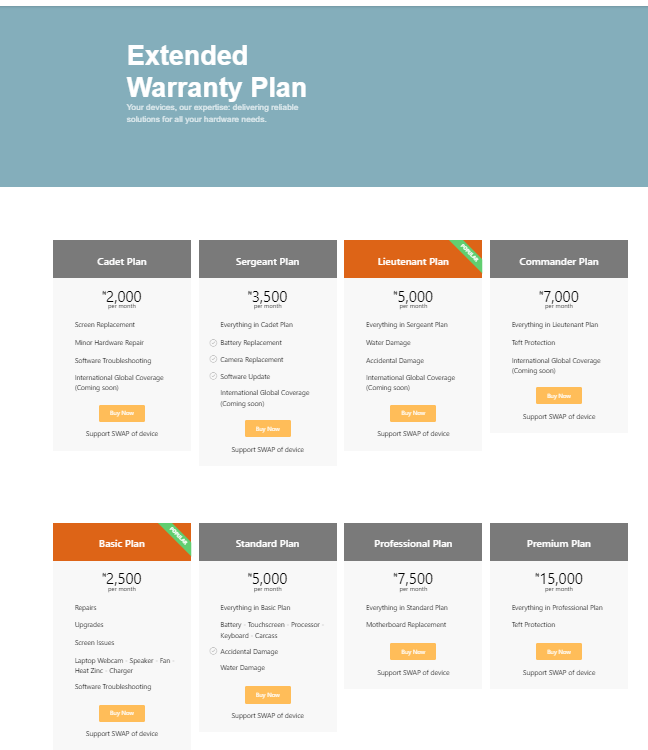
After adding your device(s), select the EWPS Plan that best suits your needs. EWPS offers various plans tailored to different types of coverage. You can choose a plan based on:
- Type of coverage (accident, repair, Theft etc.)
Review each plan carefully, comparing coverage details and costs, to pick the one that best meets your requirements.
Step 5: Make Payment
Once you’ve selected a plan, proceed to checkout. EWPS offers multiple payment options to make the process easy and accessible. Complete the payment process to initiate your coverage.
Reminder: All plans are prepaid to ensure instant activation, which protects your device from the moment you finish payment.
Step 6: Compliance & Activation
After payment, you’ll receive a confirmation message on your dashboard and through email. This confirmation marks the pre-activation of your EWPS Plan. An agent will be sent down to your location to confirm the device data input is correct and functions well. The scheduling and inspecting takes 7 days or less depending on the appointment given to the agent by the user. After compliance check, the device will be aproved. You can now enjoy peace of mind knowing that your device is covered!

Why Activate Your EWPS Plan?
Activating your EWPS plan as soon as possible is essential for uninterrupted coverage. It ensures you’re immediately protected against unforeseen accidents, breakdowns, and other issues that might affect your device.
Remember, with EWPS, you have the ultimate protection against unexpected costs, so take the time to activate your plan and start enjoying worry-free device usage today!
Protecting your mobile device should be simple and stress-free, and that’s exactly what EWPS aims to offer. By following these steps, you can get your EWPS plan up and running in no time, securing your valuable gadgets for peace of mind.